Latest Version
Version
6.2.12.12
6.2.12.12
Update
November 18, 2026
November 18, 2026
Developer
Nero AG
Nero AG
Categories
Tools
Tools
Platforms
Android
Android
Downloads
0
0
License
Free
Free
Package Name
com.nero.swiftlink.mirror
com.nero.swiftlink.mirror
Report
Report a Problem
Report a Problem
More About Screen Mirroring - 1001 TVs
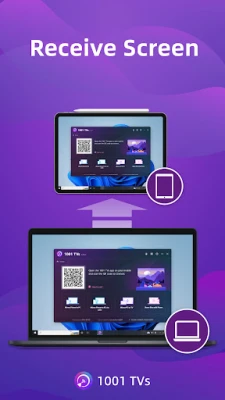
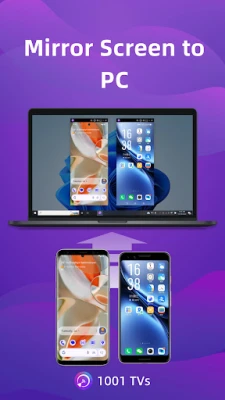
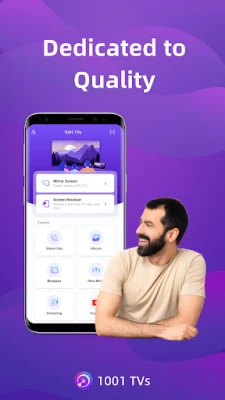
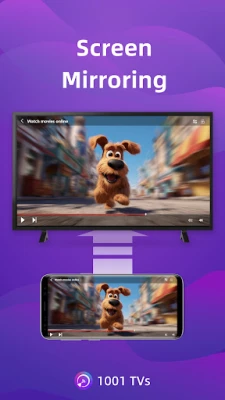
1001 TVs is a professional screen mirroring app that mirrors to Windows PC, Mac, Android TV and Apple TV. You can also receive screen mirroring from other phones, tablets, Windows PCs and Macs.
It's a high-performance wireless display tool for Android devices — better than the built-in casting features such as Google Cast or Miracast.
* Trusted by over 5 million Android Phone installs worldwide.
* New Features: TV Digital Signage
Set it up once on your phone, and photos and videos are automatically downloaded to multiple TVs via OneDrive. No need to send files to each TV individually. Perfect for stores, restaurants, offices, and event displays.
* Key Features You'll Love:
1. Smooth & Clear Display (Original Quality)
High frame rate, high definition, flicker-free playback, and easy on the eyes. Subtitles stay crystal clear with flexible configuration options. Perfect for watching videos with embedded captions and comments.
2. Perfect for TikTok, YouTube and Short Videos
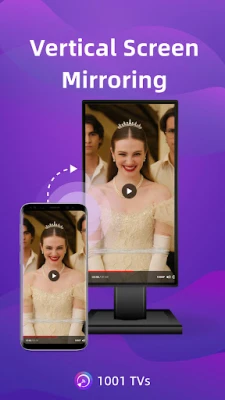
Auto-rotation follows your phone's orientation to maintain the correct aspect ratio. Enjoy short videos on the big screen, or manually set screen angles on your PC, Mac, or TV.
3. Ultra-Low Latency Performance
Real-time, low-latency mirroring keeps audio and video perfectly in sync with zero lag — ideal for gaming, live streaming, sports (football, F1), and presentations.
4. Multi-Phone Mirroring
Mirror multiple phones, or tablets to a single PC or Mac simultaneously — ideal for presentations, team meetings, and classroom sessions.
5. Single App Screen Mirroring
Available on Android 15 and above. Mirror just one app while keeping the rest of your phone private, or mirror the entire screen for a full display.
6. Smart Display Modes
Choose from 3 display modes (Fit, Fill, Scale) to automatically adapt to your TV screen and eliminate unwanted black bars.
7. 100% Private & Secure
All screen mirroring data stays within your local network, never uploaded to the internet, ensuring 100% privacy protection.
8. Easy to Use
No complicated setup — just one tap to connect. Press OK to pause or resume anytime with your TV remote.
* More Features
1. File Transfer & Management – Quickly and securely send files between your phone, tablet, PC, and Mac — and even from phone to TV. No cables needed. APK files can also be sent to and installed on your TV.
2. Streaming – Stream videos, music, and photos from your phone to Smart TVs.
3. TV Albums – Upload photos and videos to your TV for playback anytime — individually or as a slideshow.
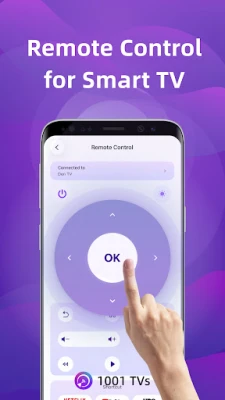
4. TV Remote Controller – Use your phone to auto-detect Smart TVs on the same Wi-Fi network. Control volume, home, the direction pad, select/confirm, and more.
* How to Use
1. Install the 1001 TVs screen mirroring app on your phone and on the receiving device (PC, Mac, TV, phone, or tablet).
2. Make sure both devices are connected to the same Wi-Fi network.
3. Open the app, select your device, or scan the QR code to start.
* The following features are available as a free trial; a paid membership is required on the sender side after the trial ends.
1. Screen mirroring between phone, PC, Mac, and TV.
2. File transfer between phone, PC, Mac, and TV.
Email: 1001tvs@nero.com
Website: https://www.1001tvs.com
Terms: https://www.1001tvs.com/license/en/terms.html
Privacy: https://www.1001tvs.com/license/en/privacy.html
[Subscription Plan]
- Service Title: Auto-renew Weekly, Auto-renew Monthly, Auto-renew Yearly and Lifetime;
- Your payment will be charged to your store account once you confirm the purchase;
- Your subscription will automatically renew unless canceled at least 24 hours before the end of the current period;
- You can always cancel the subscription through your store account;
* Trusted by over 5 million Android Phone installs worldwide.
* New Features: TV Digital Signage
Set it up once on your phone, and photos and videos are automatically downloaded to multiple TVs via OneDrive. No need to send files to each TV individually. Perfect for stores, restaurants, offices, and event displays.
* Key Features You'll Love:
1. Smooth & Clear Display (Original Quality)
High frame rate, high definition, flicker-free playback, and easy on the eyes. Subtitles stay crystal clear with flexible configuration options. Perfect for watching videos with embedded captions and comments.
2. Perfect for TikTok, YouTube and Short Videos
Auto-rotation follows your phone's orientation to maintain the correct aspect ratio. Enjoy short videos on the big screen, or manually set screen angles on your PC, Mac, or TV.
3. Ultra-Low Latency Performance
Real-time, low-latency mirroring keeps audio and video perfectly in sync with zero lag — ideal for gaming, live streaming, sports (football, F1), and presentations.
4. Multi-Phone Mirroring
Mirror multiple phones, or tablets to a single PC or Mac simultaneously — ideal for presentations, team meetings, and classroom sessions.
5. Single App Screen Mirroring
Available on Android 15 and above. Mirror just one app while keeping the rest of your phone private, or mirror the entire screen for a full display.
6. Smart Display Modes
Choose from 3 display modes (Fit, Fill, Scale) to automatically adapt to your TV screen and eliminate unwanted black bars.
7. 100% Private & Secure
All screen mirroring data stays within your local network, never uploaded to the internet, ensuring 100% privacy protection.
8. Easy to Use
No complicated setup — just one tap to connect. Press OK to pause or resume anytime with your TV remote.
* More Features
1. File Transfer & Management – Quickly and securely send files between your phone, tablet, PC, and Mac — and even from phone to TV. No cables needed. APK files can also be sent to and installed on your TV.
2. Streaming – Stream videos, music, and photos from your phone to Smart TVs.
3. TV Albums – Upload photos and videos to your TV for playback anytime — individually or as a slideshow.
4. TV Remote Controller – Use your phone to auto-detect Smart TVs on the same Wi-Fi network. Control volume, home, the direction pad, select/confirm, and more.
* How to Use
1. Install the 1001 TVs screen mirroring app on your phone and on the receiving device (PC, Mac, TV, phone, or tablet).
2. Make sure both devices are connected to the same Wi-Fi network.
3. Open the app, select your device, or scan the QR code to start.
* The following features are available as a free trial; a paid membership is required on the sender side after the trial ends.
1. Screen mirroring between phone, PC, Mac, and TV.
2. File transfer between phone, PC, Mac, and TV.
Email: 1001tvs@nero.com
Website: https://www.1001tvs.com
Terms: https://www.1001tvs.com/license/en/terms.html
Privacy: https://www.1001tvs.com/license/en/privacy.html
[Subscription Plan]
- Service Title: Auto-renew Weekly, Auto-renew Monthly, Auto-renew Yearly and Lifetime;
- Your payment will be charged to your store account once you confirm the purchase;
- Your subscription will automatically renew unless canceled at least 24 hours before the end of the current period;
- You can always cancel the subscription through your store account;
Rate the App
Add Comment & Review
User Reviews
Based on 0 reviews
No reviews added yet.
Comments will not be approved to be posted if they are SPAM, abusive, off-topic, use profanity, contain a personal attack, or promote hate of any kind.









More »

Popular Apps
Love Keyboard - Neon ThemesMetamorph AI Labs
LINE: Calls & MessagesLINE (LY Corporation)
Rakuten Viber MessengerViber Media
YouTubeGoogle LLC

InstagramInstagram
Gmail 5Google LLC
Hotspot Shield: Fast VPN ProxyAnchorfree LLC

FacebookMeta Platforms, Inc.
Google MeetGoogle LLC
Get aCC_e55Isometric cyberpunk adventure
More »
Editor's Choice
YouTubeGoogle LLC

ThreadsInstagram
Hotspot Shield: Fast VPN ProxyAnchorfree LLC
FacebookMeta Platforms, Inc.
Gmail 5Google LLC
LINE: Calls & MessagesLINE (LY Corporation)
InstagramInstagram
Rakuten Viber MessengerViber Media
Google MeetGoogle LLC

Norton360 Antivirus & SecurityNortonMobile