
Latest Version
Version
2.4.0
2.4.0
Update
July 10, 2025
July 10, 2025
Developer
Arcade Games
Arcade Games
Categories
Games
Games
Platforms
iOS
iOS
File Size
32 MB
32 MB
Downloads
0
0
License
Free
Free
Report
Report a Problem
Report a Problem
More About GamePod XL - Mini-Games 4 all
Gamepod XL turns your iPhone into a super Game Console that you can play on your TV or your iPhone
Play multiple mini-games from several Indie developers and all the games are Free-to-Play and have no ads!!!!
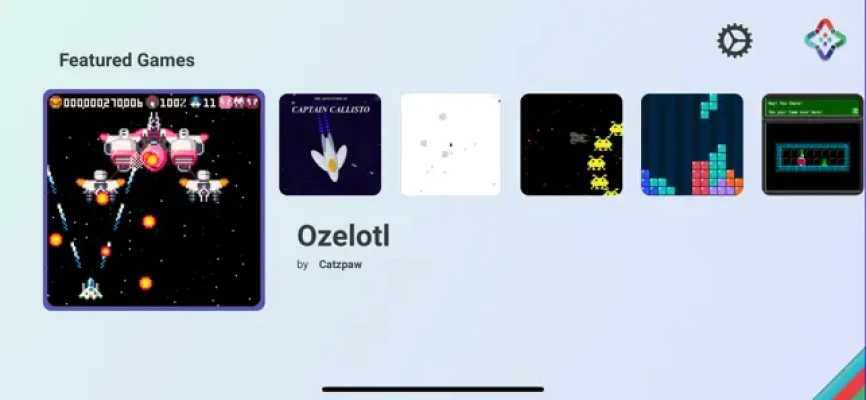
List of the games:
- Captain Callisto
- Asteroids
- Space Tribute
- Mimstris
- Envisionator
- Twistbot
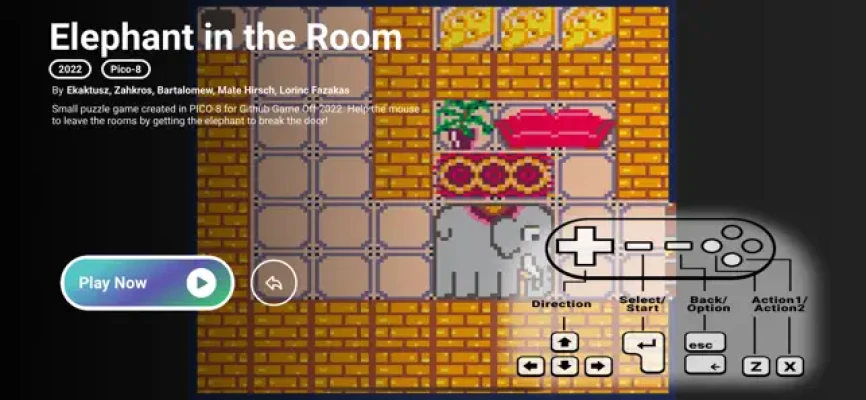
- Elephant in the Room
- Ozelotl
If you don't have a Smart TV, you can also play the Pocket version where you play directly on your iPhone/iPad screen
Follow our official Instagram, Youtube, or Twitter page @GamePodXL, where you can get sneak peeks of the new version, and engage with the GamePod XL community. By following our Instagram, Youtube, or Twitter page, you'll never miss out on important updates.
We Support External Controllers (MFi Controllers, etc )
Enhance your gaming experience with GamePod XL's keyboard support!
[arrows keys] - Directions
[z] - Action 1
[x] - Action 2
[select] - Enter or Spacebar
[option] - Backspace or Esc
----
Can you do screen mirroring from iOS to your TV? If yes that is called AirPlay and you can download and enjoy this app.
One of the cool stuff about Apple AirPlay is that allows supporting dual-screen technology.
How does it work?
- Open the controller panel on your iPhone/iPad and select Screen Mirroring, choose your AirPlay TV.
- Open the GamePod app on your device
- Use your iPhone/iPad as a game controller or external controller and start playing games.
AirPlay supported TVs:
Airplay is supported by Apple TV but also the Smart TVs.
You can also use it on your MacBook it is the version higher than Monterey, for this you just need to:
On a Mac, choose Apple menu > System Preferences, click Sharing, then select and turn on AirPlay Receiver and Allow AirPlay for "Everyone" or "Anyone on the same network". Now just start the airplay from your iPhone/iPad
GamePod XL used Apple Taptic Engine to improve the game controller usage.
Now you can play this game on your TV using your iPhone or iPad as a game controller.
Terms & Conditions
https://watt-app.com/privacy/gamepod_terms_conditions.html
List of the games:
- Captain Callisto
- Asteroids
- Space Tribute
- Mimstris
- Envisionator
- Twistbot
- Elephant in the Room
- Ozelotl
If you don't have a Smart TV, you can also play the Pocket version where you play directly on your iPhone/iPad screen
Follow our official Instagram, Youtube, or Twitter page @GamePodXL, where you can get sneak peeks of the new version, and engage with the GamePod XL community. By following our Instagram, Youtube, or Twitter page, you'll never miss out on important updates.
We Support External Controllers (MFi Controllers, etc )
Enhance your gaming experience with GamePod XL's keyboard support!
[arrows keys] - Directions
[z] - Action 1
[x] - Action 2
[select] - Enter or Spacebar
[option] - Backspace or Esc
----
Can you do screen mirroring from iOS to your TV? If yes that is called AirPlay and you can download and enjoy this app.
One of the cool stuff about Apple AirPlay is that allows supporting dual-screen technology.
How does it work?
- Open the controller panel on your iPhone/iPad and select Screen Mirroring, choose your AirPlay TV.
- Open the GamePod app on your device
- Use your iPhone/iPad as a game controller or external controller and start playing games.
AirPlay supported TVs:
Airplay is supported by Apple TV but also the Smart TVs.
You can also use it on your MacBook it is the version higher than Monterey, for this you just need to:
On a Mac, choose Apple menu > System Preferences, click Sharing, then select and turn on AirPlay Receiver and Allow AirPlay for "Everyone" or "Anyone on the same network". Now just start the airplay from your iPhone/iPad
GamePod XL used Apple Taptic Engine to improve the game controller usage.
Now you can play this game on your TV using your iPhone or iPad as a game controller.
Terms & Conditions
https://watt-app.com/privacy/gamepod_terms_conditions.html
Rate the App
Add Comment & Review
User Reviews
Based on 0 reviews
No reviews added yet.
Comments will not be approved to be posted if they are SPAM, abusive, off-topic, use profanity, contain a personal attack, or promote hate of any kind.













More »

Popular Apps
Love Keyboard - Neon ThemesMetamorph AI Labs

LINE: Calls & MessagesLINE (LY Corporation)

Rakuten Viber MessengerViber Media

InstagramInstagram

YouTubeGoogle LLC

Hotspot Shield: Fast VPN ProxyAnchorfree LLC
Gmail 5Google LLC

FacebookMeta Platforms, Inc.
Google MeetGoogle LLC

Get aCC_e55Isometric cyberpunk adventure
More »
Editor's Choice
YouTubeGoogle LLC

ThreadsInstagram
Hotspot Shield: Fast VPN ProxyAnchorfree LLC
FacebookMeta Platforms, Inc.
Gmail 5Google LLC
LINE: Calls & MessagesLINE (LY Corporation)
InstagramInstagram
Rakuten Viber MessengerViber Media
Google MeetGoogle LLC

Norton360 Antivirus & SecurityNortonMobile